
Windows 11 installation ComfyUI and Stable Diffusion production of text drawings - feeding tutorial
I. Environmental preparedness
Hardware requirements
- graphic cards: NVIDIA graphic card (recommended RTX 30/40 series, visible 8GB)
- Memory: ≥16GB (recommended over 32GB to load large models)
- Storage: at least 50 GB space reserved (integrated package + model file)
2. Software dependency
- Operating systems: Windows 11 64 (2H2 or updated)
- CUDA Drive: CUDA 12.1 (adopted)
nvidia-smiCommand to check driver version) - Counterpression ToolInstallation of 7-Zip or WinRAR to depressurize
.7zDocumentation
Integration package deployment
1. Downloads and depressures
- Download integration package:
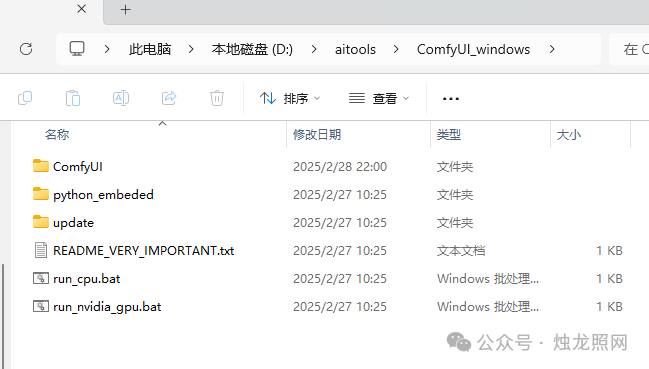
ComfyUI Windows Portal (NVIDIA GPU) - Unpressure to unsystematic disks (e. g.
D:\ComfyUI_windowsThis post is part of our special coverage Syria Protests 2011.Ensure path does not contain Chinese or spacesI don't know.
Download models and CLIP files
- Main Model Download:
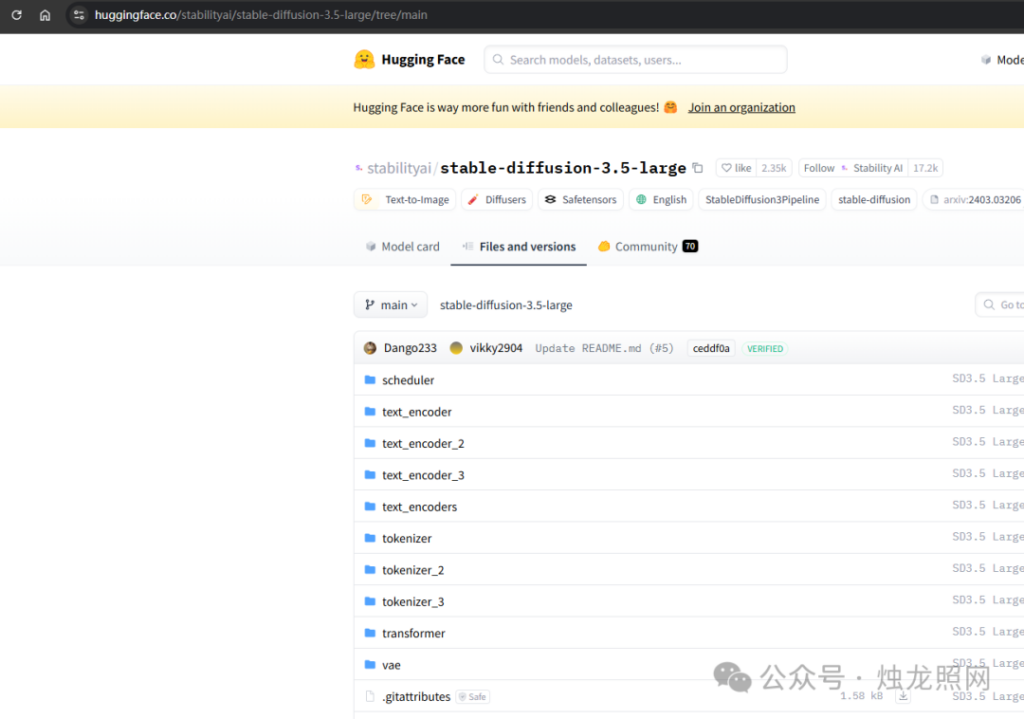
- Access stable-diffusion-3.5-large model page
- Download
stable-diffusion-3.5-large.safetensors - Storage path:
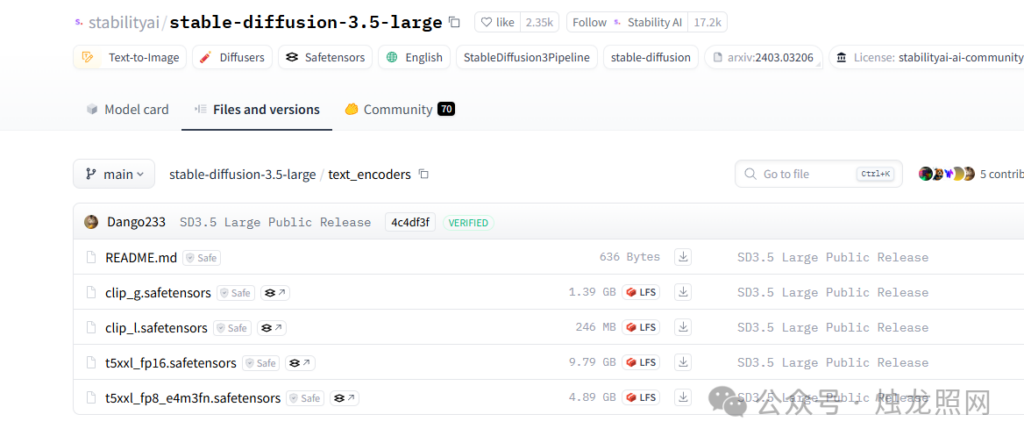
ComfyUI_windows\ComfyUI\models\checkpoints - CLIP text encoder download(https://huggingface.co/stabilityai/stable-diffusion-3.5-large/tree/main/text encoders)
clip_g.safetensorsclip_l.safetensorst5xxl_fp16.safetensors- Access CLIP File Directory
- Download the following three documents:
- Storage path:
ComfyUI_windows\ComfyUI\models\clip
3. Share Model Path (optional)
To share models with other Stable Diffusion tools (e.g. WebUI):
- Open
ComfyUI_windows\ComfyUI\extra_model_paths.yaml.exampledelete.exampleThe suffix. - Modify the contents of the document to the shared model directory:
base_path: "C:\path\to\your\shared_models"  # 替换为实际路径
checkpoints: models/checkpoints
clip: models/clip
III. Launch and configuration
1. Run integration packages
- Double click
ComfyUI_windowsIn Directoryrun_nvidia_gpu.bat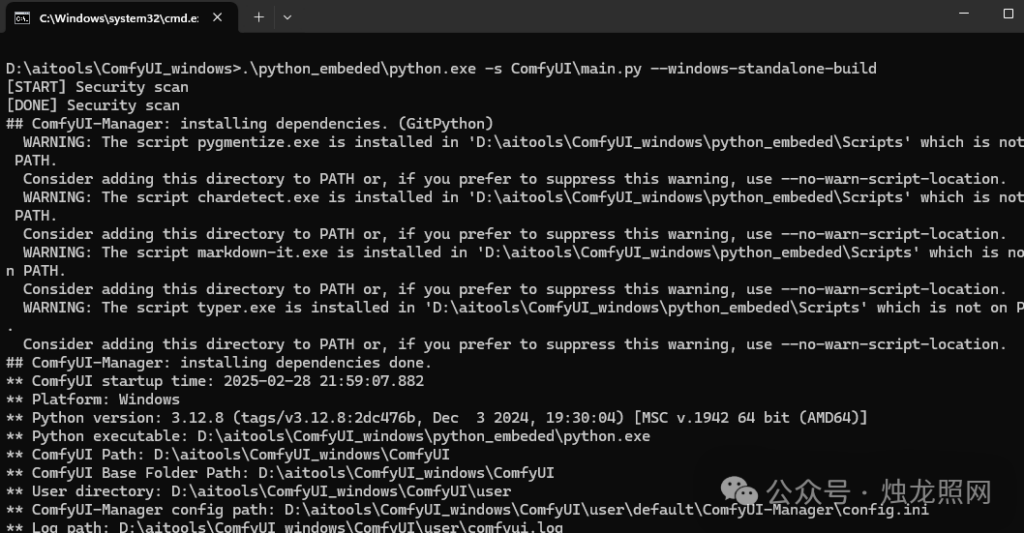
-
- Initial start will automatically install dependency, and browser access after completion
http://127.0.0.1:8188
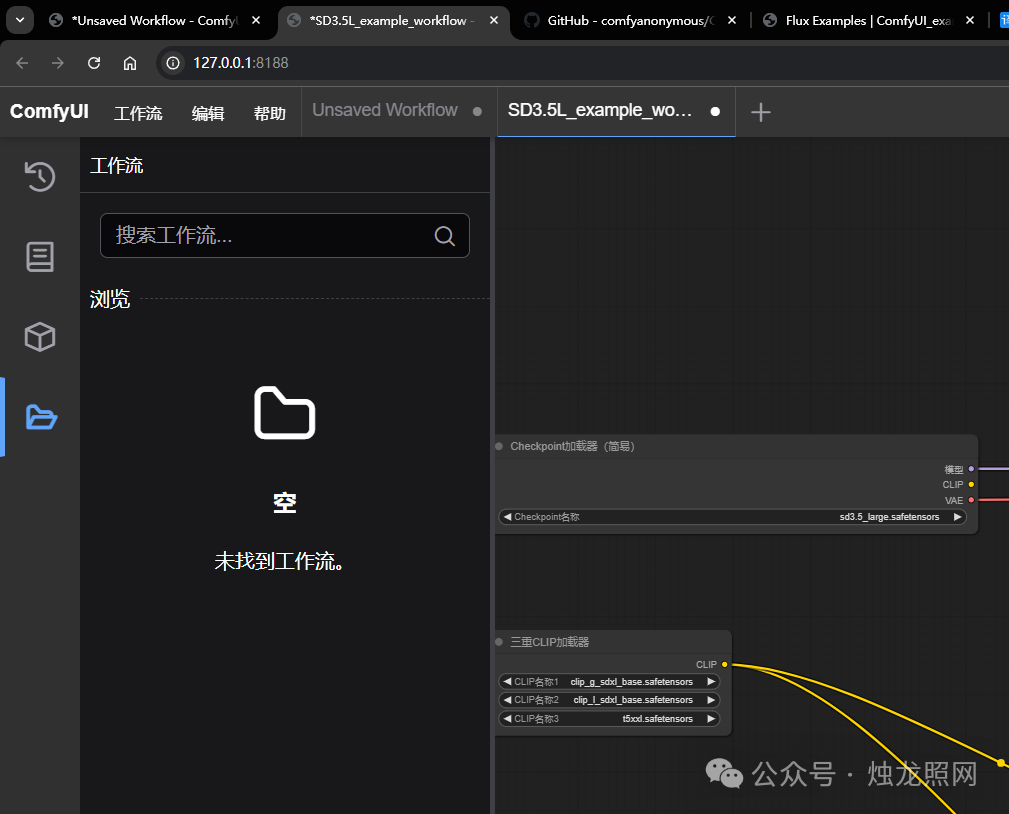
2. Loading official sample workflows
- Download official workflow template: SD3.5L example workflow.json (https://huggingface.co/statilityai/table-diffiusion-3.5-large/resolve/main/SD3.5L example workflow.json?download=true)
- In the ComfyUI interface:
- Click on the top right cornerLoadSelect a downloaded JSON file
- Automatically load pre-defined nodes (including CHeckpoint, CLIP, samplers, etc.)
IV. BASIC USE PROCESS
1. Generation of images
- Checking work streams
CheckpointLoaderNode Selectedstable-diffusion-3.5-largeModels. - Other Organiser
- Inverted: input description (e.g. "A cyberpunk cityscape, nonlights, Rain, 8k")
- Inverted hint: input should exclude content (e.g. "text, watermark, blurry")
- ClickQueue PromptStart generation, save results to
ComfyUI_windows\ComfyUI\output
2. Proposed parameters adjustments
| Parameters | Recommended value | Annotations |
|---|---|---|
| Resolution | 1024x1024 | Fit SD3.5-Large training specifications |
| Sample steps | 20-30 | Recommended DPM++2M SDE or Euler |
| CFG Scale | 5-9 | The higher the value, the closer the hint. |
| Random Feeds | -1 (random) | Fixed seed recoverable result |
Common issues
1. Model load failure
- SymptomOther Organiser
CLIP model not foundorInvalid checkpoint - Solve:
- Check if CLIP files are fully stored
models/clipContents. - Confirm that the main model file is not redundant suffixed (e.g. duplicated)
.safetensorsI don't know.
- Check if CLIP files are fully stored
2. Visibility shortfalls
- Symptom: Crash or miss at generation
CUDA out of memory - Solve:
- Modify
run_nvidia_gpu.bat, add--lowvramparameter. - Reduce resolution to 768 x 768 or enable TAESD light Quantification VAE.
- Modify
VI. EXTENSION OF RESOURCES
- Plugin Installation: adopted
ComfyUI-ManagerInstall a ControlNet preprocessor or image magnification node. - Workstream communityOther Organiser
Download links to "CommyUI windows portable nvidia.7z"
Link: https://pan.quark.cn/s/f514c44a027