
Tencent Yuanbao Group-Chat Summaries: Key Info in One Click
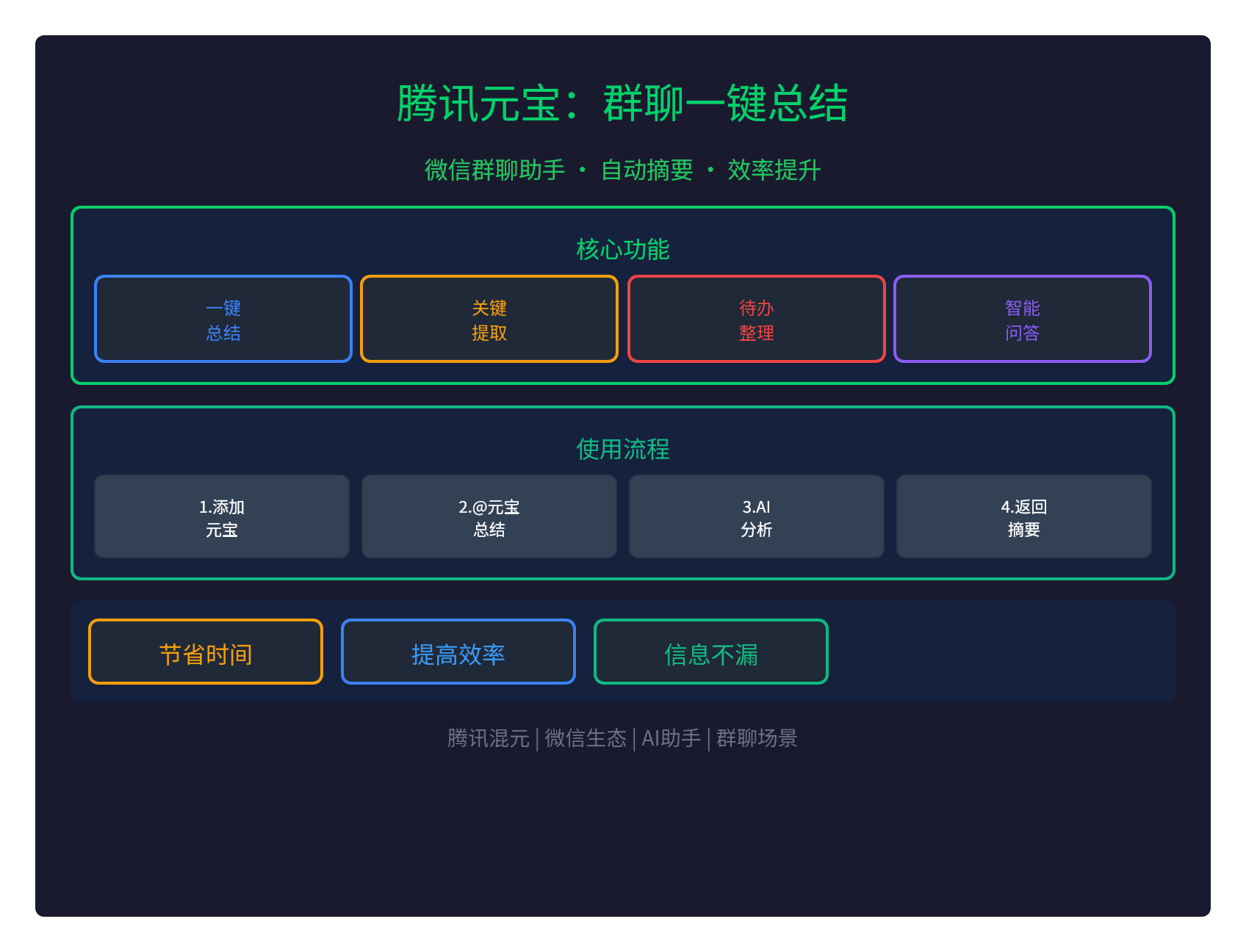
💬 Tencent Yuanbao now supports one-click WeChat group chat summaries: never miss group chat info again
Tencent Yuanbao (powered by Tencent's Hunyuan large model) now supports one-click WeChat group chat summaries:
- One-click summary: automatically summarize group chat history
- Key-point extraction: extract key info, decisions, and conclusions
- To-do sorting: automatically detect and organize action items
- Smart Q&A: answer questions based on group chat content
This is the WeChat ecosystem's AI group assistant, so group chat info never gets missed.
🎯 Core Features
1. One-Click Group Chat Summary
One-click group chat summary is Yuanbao's core feature:
- Auto analysis: analyzes group chat history
- Smart recap: generates a concise group chat summary
- Timeline: organizes key events chronologically
- Key people: identifies key speakers in the chat
2. Key Information Extraction
Yuanbao can extract key information:
| Extracted content | details |
|---|---|
| Decisions | Important decisions made in the chat |
| Conclusions | Conclusions reached in discussion |
| To-dos | Tasks that need to be done |
| Deadlines | Key dates and deadlines |
| Owners | Who is responsible for what |
3. To-Do Organization
Yuanbao can automatically detect to-dos:
- Task detection: spots what needs to be done from the chat
- Owners: identifies who owns each task
- Due dates: identifies task deadlines
- To-do list: generates a clear to-do list
4. Smart Q&A
Yuanbao supports Q&A based on group chat content:
- Question answering: answers questions raised in the chat
- Information lookup: finds specific details from the chat
- Summary generation: creates specific summaries on demand
- Translation: translates foreign-language messages in the chat
🚀 How to Use
Step 1: Add Yuanbao to the group chat
Add Yuanbao to your WeChat group chat:
- Group settings → Add member
- Search "Yuanbao" → Tap to add
- Yuanbao joins the group → becomes a group member
Step 2: @Yuanbao to trigger a summary
In the group chat, @Yuanbao to trigger features:
# 总结群聊
@元宝 总结一下今天的讨论

# 提取待办
@元宝 有什么待办事项?

# 关键决策
@元宝 今天做出了哪些决策?
Step 3: AI analyzes and returns results
Yuanbao automatically analyzes and returns:
- Group chat summary: a concise recap of the conversation
- Key information: extracted decisions, conclusions, and to-dos
- Timeline: chronological order of key events
- To-do list: a clear list of action items
💡 Use Cases
Scenario 1: Work group chats
For work group chats:
- Project discussions: summarize key decisions from project discussions
- Meeting notes: automatically organize meeting takeaways
- To-do tracking: detect and track action items
- Ownership: see who is responsible for what
Scenario 2: Study group chats
For study group chats:
- Knowledge recaps: summarize key points discussed in the chat
- Question roundups: collect questions raised in discussion
- Study notes: auto-generate study notes
- Review material: organize material for review
Scenario 3: Hobby group chats
For hobby group chats:
- Event recaps: summarize event plans and progress
- Resource collection: organize resources shared in the chat
- Topic retrospectives: revisit the chat's hot topics
- Nothing missed: avoid losing important information
Scenario 4: Family group chats
For family group chats:
- Family matters: summarize family discussions
- To-do reminders: reminders for household action items
- Important info: extract key family information
- Schedules: organize family schedules
📊 How It Compares to Other AI Group Assistants
| AI group assistant | Platform | Summarization | To-do extraction |
|---|---|---|---|
| Tencent Yuanbao | ✅ Strong | ✅ Automatic | |
| Feishu AI | Feishu (Lark) | ✅ Strong | ✅ Automatic |
| DingTalk AI | DingTalk | ✅ Strong | ⚠️ Partial |
| ChatGPT | Standalone | ⚠️ Manual | ❌ None |
Tencent Yuanbao inside the WeChat ecosystem offers native support — no app switching needed.
🔥 Advantages & Value
1. Saves time
- Fast summaries: recap hours of chat in seconds
- No scrolling back: no need to scroll through message by message
- Efficient catch-up: quickly review the chat's key content
2. Boosts efficiency
- Nothing missed: key information never slips through
- Clear decisions: decisions at a glance
- To-do tracking: action items detected automatically
3. WeChat-native
- No installation: no extra app required
- Seamless integration: works right inside WeChat group chats
- Familiar UX: fits natural WeChat habits
4. Hunyuan large model
- Tencent Hunyuan: powered by Tencent's Hunyuan large model
- Chinese-optimized: strong Chinese-language understanding
- Tencent ecosystem: deeply integrated with Tencent services
🤔 When to Use It
When is a Yuanbao summary useful?
- Busy chats: lots of messages, and scrolling back is painful
- Important discussions: key decisions and discussions need a record
- To-do tracking: action items from the chat need tracking
- Limited time: you need to catch up on the chat fast
When is it not recommended?
- Private chats: avoid adding AI to chats involving privacy
- Sensitive topics: not recommended for sensitive discussions
- Small groups: low-traffic chats add little value to summarize
📝 Summary
Tencent Yuanbao supports one-click WeChat group chat summaries:
- One-click summary: automatically recap chat history
- Key extraction: pull out decisions, conclusions, and to-dos
- To-do sorting: automatically detect and organize action items
- Smart Q&A: answer questions based on chat content
- WeChat-native: no extra install, seamless integration
- Hunyuan model: powered by Tencent's Hunyuan large model
Never miss group chat info again — one-click summaries save time.
Tencent Yuanbao official site:https://yuanbao.tencent.com