
48K Star Repository: 66 design systems to stop AI writing frontends
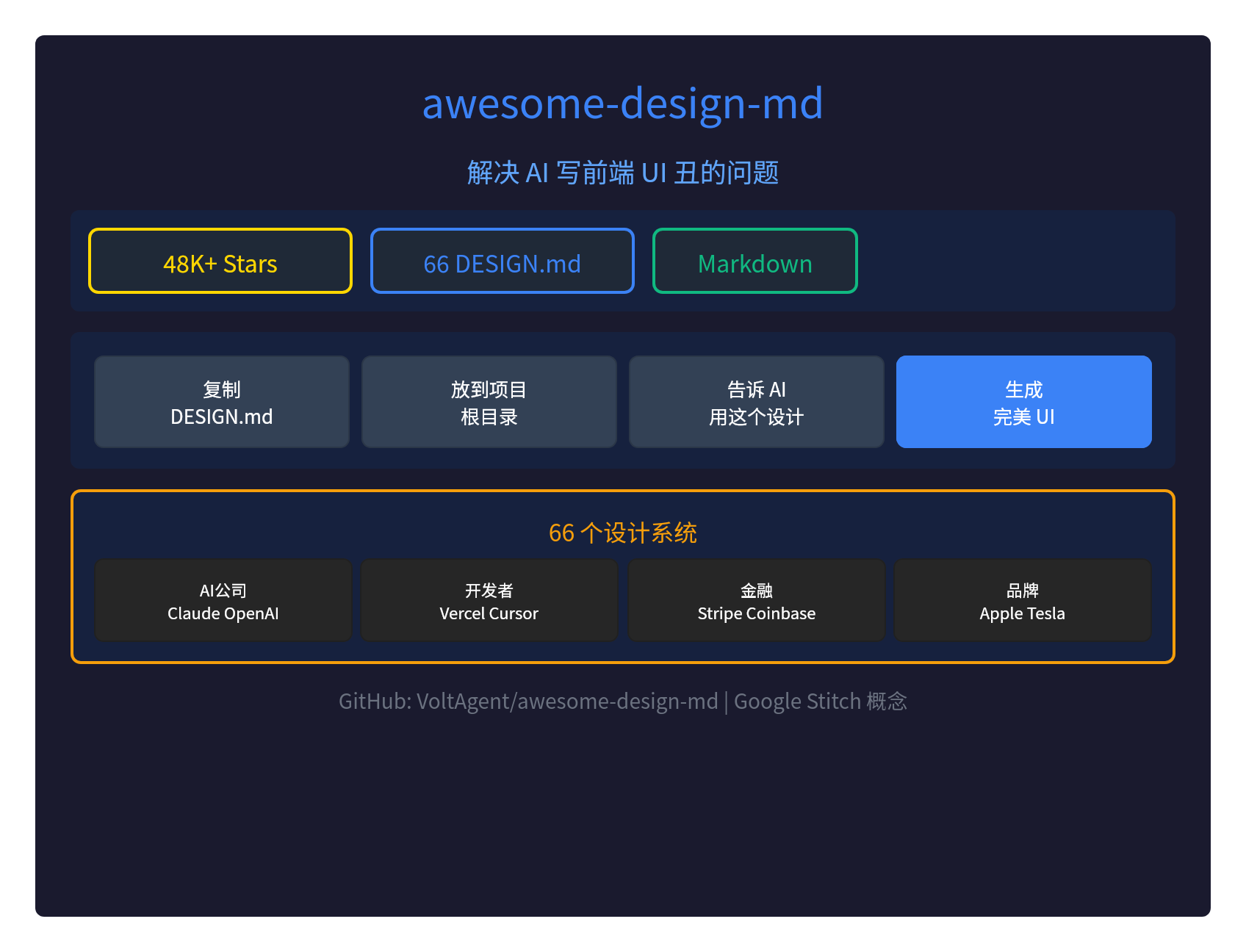
🎨 Solve the problem of AI writing frontend UI ugly: eyesome-design-md
AI, what's the problem with the front end?UI is ugly.I don't know. The front-end interface generated by AI Agent often lacks a sense of design, colour mix is confused and layout is not coordinated.
This warehouseIt's over.Other Organiser 66 DESIGN.md files, make your AI Agent directly generatedpixel-level precision UII don't know.
What's DESSIGN.md?
DESIGN.md The new concept introduced by Google Stitch:
- Pure Text Design System: Markdown file definition UI design specifications
- LLM is the easiest to understand.: Markdown is the best format for LLM
- No need, Figma.: No export of design files, no need of JSON schema
- Insert: Put it in the root directory, AI Agent immediately understand
Comparison:
| Documentation | Who will read it? | Define what? |
|---|---|---|
| AGENTS.md | Sections | How to Build Project |
| DESIGN.md | Design Acts | How the project should be presented |
66 design systems
It's available-design-md66 readily available DESIGN.md filesIn all areas:
AI Corporation
- Claude, OpenAI, Cohere, Eleven Labs, Mistral AI, XAI, etc.
- Google Gemini, Together AI, VoltAgent, etc.
Developer tool
- Vercel, Cursor, Raycast, Warp, Loveable, Expo
- Supabese, Stanley, Linear, PostHog, Sanity, etc.
Financial Technology
- Stripe, Coinbase, Binance, Revolut, Wise
- Kraken, Airtable, etc.
Brand website
- Apple, Tesla, Nike, BMW, Ferrari, Lamborghini
- Spotify, Airbnb, Pinterst, Uber, The Verge, etc.
Design tool
- Figma, Framer, Miro, Webflow, Notion, etc.
Use methods
Three steps.:
# 1. 复制 DESIGN.md 到项目根目录
# 比如:复制 vercel/DESIGN.md 到你的项目

# 2. 告诉 AI Agent 使用这个设计
"用 DESIGN.md 的设计规范,帮我生成一个首页"

# 3. AI Agent 生成像素级精确的 UI
That's it! AI Agent will automatically:
- Read DESSIGN.md colour instruction
- Apply correct fonts and characters
- Use the correct spacing and layout
- Generate components that fit the design system
What does DESSIGN.md contain?
Each DESIGN.md contains9 complete design code chapters:
| Chapter | Contents |
|---|---|
| Visual themes | The atmosphere, density, design philosophy. |
| 2. Colour norms | Semantic Name + Hex + Function Role |
| 3. Font rules | Font family, complete hierarchy |
| 4. Component Styles | Buttons, cards, input frames, navigation, etc. |
| 5. Layout principle | Spacing ratio, grid, blank philosophy |
| 6. Depth level | Shadow system, surface level |
| 7. Normative guidance | Design columns and reverse mode |
| Response | Breakpoints, touch targets, folding strategies |
| Agent Hint | Quick colour reference, ready hint |
📁 Every site contains
- DESIGN.mdDesign system document (AI Agent read)
- I'm sorry.Visual preview (color, font, components)
- I don't know.: Dark Mode Preview
Example Design System
Several classic examples:
Vercel.
- Black & White Precision, Geist Font
- Extreme simplicity, code priority
Apple.
- A large number of white, SF Pro fonts
- Film-level pictures, advanced senses.
Stripe.
- Signic purple gradient
- Weight-300.
Tesla.
- Extremely reduced design
- Film-level full-screen photography, Universal Sans
Summary
I don't know what to say. Change completely the way AI writes the frontend:
- 66 readily available DESIGN.md files
- Coverage of AI companies, developers ' instruments, finance, brands, etc.
- Pure Markdown format, LLM best understood
- Three steps is enough: Copy Zoom To Project Zoom AI Generate Perfect UI
- Google Stitch concept, officially supported
Since then, AI wrote the front end no longer ugly.
GitHub:https://github.com/VoltAgent/awasome-design-md
Google Stitch:https://stitch.withgoogle.com/docs/design-md/overview/