
Burp Suite official MCP Server: Auto-infiltration testing for AI Agent
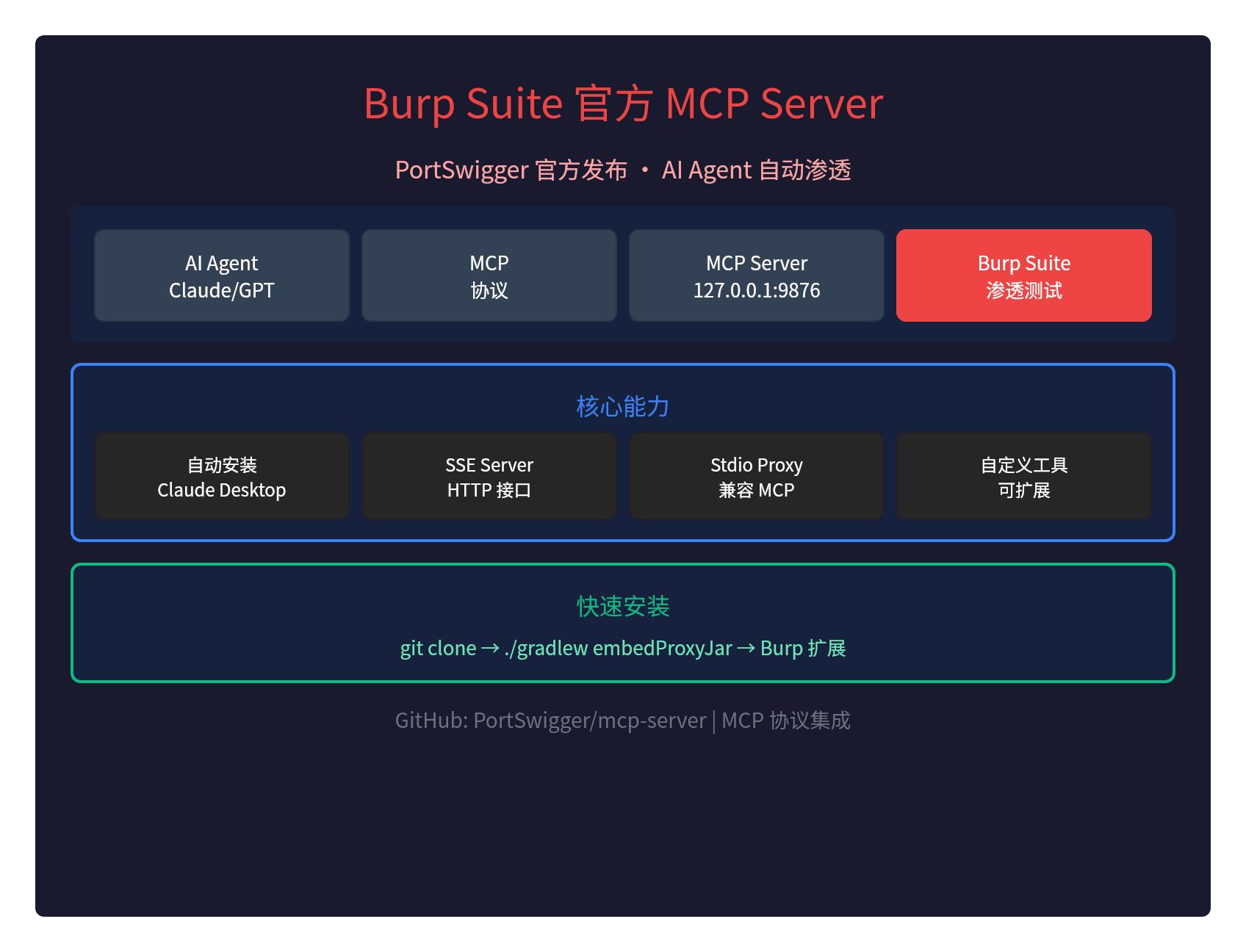
🔥 Burp Suite Official MCP Server: auto-infiltration test for AI Agent
PortSwigger (Burp Suite Developer) was officially releasedMCP Server, allow AI Agent to passModel Context Protocol (MCP) Direct control of Burp Suite.
It means: AI Agent can.Automatic infiltration testsGot it.
What is Burp Suite MCP Server?
MCP (Model subject Protocol) It's an Anthropic protocol that allows AI Agent to interact with external tools. Burp Suite MCP ServerBridge to Burp Suite and AI AgentI don't know.
Workflow:
AI Agent (Claude/GPT) → MCP 协议 → MCP Server → Burp Suite → 渗透测试
Core functions
| Functions | Annotations |
|---|---|
| MCP Server | Default listening 127.0.0.1:9876 |
| SSE Interface | HTTP Server-Sent Events Interface |
| Stdio Proxy | Stdio MCP compatible with Claude Desktop |
| Auto Install | Autoconfigure Claude Desktop |
| Configure Edit | Optionally enable the Burp configuration file editing tool |
| Custom Tools | Extensionable new MCP tool |
:: Installation steps
Preconditions
- Java.Other Organiser
- jar command: must be enforceable
- Burp Suite: Burp Suite application required
Installation steps
# 1. 克隆仓库
git clone https://github.com/PortSwigger/mcp-server.git
cd mcp-server

# 2. 构建 JAR 文件
./gradlew embedProxyJar

# 3. 在 Burp Suite 中加载扩展
# Extensions → Add → Java → 选择 build/libs/burp-mcp-all.jar

# 4. 配置 MCP Server(在 Burp 的 MCP 标签页)
# 默认监听 http://127.0.0.1:9876
🔗 Connect Claude Desktop
Claude Desktop currently only supports Stdio MCP Servers, so Burp MCP Server providesProxy:
# Claude Desktop 配置文件
# ~/Library/Application Support/Claude/claude_desktop_config.json

{
  "mcpServers": {
    "burp": {
      "command": "java",
      "args": [
        "-jar",
        "/path/to/mcp-proxy-all.jar",
        "--sse-url",
        "http://127.0.0.1:9876"
      ]
    }
  }
}
Rationale:
- Claude Desktop starts Stdio Proxy Server
- Proxy Server attached to Burp
- All requests forwarded via Proxy to Burp
🛠️ Direct connection using SSE Server
If your MCP Clear supports SSE, you can connect directly:
# SSE 接口 URL
http://127.0.0.1:9876

# 或带 /sse 路径
http://127.0.0.1:9876/sse
Expand Custom Tool
You can define new MCP tools:
// 工具定义在 src/main/kotlin/net/portswigger/mcp/tools/Tools.kt

// 创建新的 serializable data class
@Serializable
data class MyCustomTool(
    val param1: String,
    val param2: Int
)

// 工具名称自动从参数类名派生
// 返回字符串或更丰富的 PromptMessageContents
It's okay.Achieve Paginaed InterfaceAdds automatic page break support.
Applications
| scene | AI Agent, what can I do? |
|---|---|
| Auto-infiltration test | AI Agent autoscan, analyze holes |
| Gap analysis | AI Agent Analyses Burp Captured Data |
| Report Generation | AI Agent Generation Osmosis Test Report |
| Configure Automation | AI Agent Configure Burp |
Summary
Burp Suite MCP ServerInfiltration testing into the AI Age:
- PortSwigger Official, highly reliable
- Support for MCP protocol, compatible Claude Desktop
- Provide SSE Server and Stdio Proxy
- Extended Custom Tool
- AI Agent can automate infiltration tests.
Infiltration test + AI Agent, New Era of Cybersecurity.
GitHub:https://github.com/PortSwigger/mcp-server
MCP Agreement:https://modercontentprotocol.io/