
unable to access ‘https://github.com/langgenius/dify.git/’: Failed to connect to github.com port 443 after 21111 ms: Could not connect to server
一般這種都是網絡配置原因造成的, 但我這邊的狀態是瀏覽器可以正常打開github,終端無法ping通,那應該就是本地代理配置問題了

1、使用代理方式
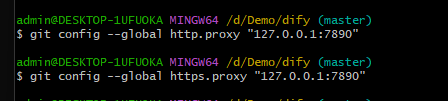
git config --global http.proxy "127.0.0.1:10808"
git config --global https.proxy "127.0.0.1:10808"
2、不用代理,可以使用以下命令去除git代理
|
1
2
|
git config --global --unset https.proxygit config --global --unset http.proxy |