
Tencent Open-Sources AI Red Teaming Platform, 55 Components
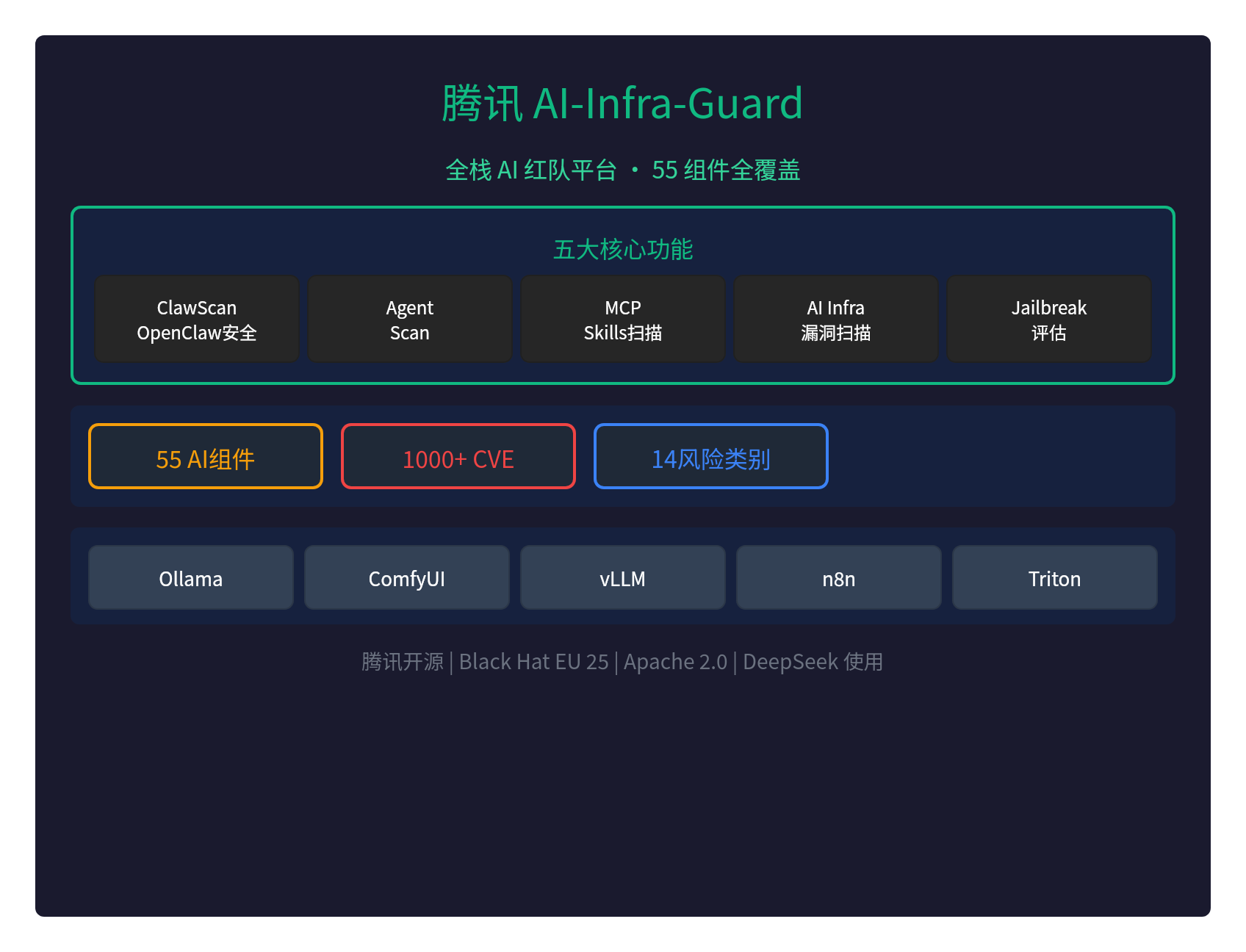
🛡️ Tencent Open-Sources an AI Red Teaming Platform: 55 Components Covered, a Security Testing Powerhouse
Tencent has open-sourced AI-Infra-Guard (A.I.G) — a full-stack AI red teaming platform that covers 55 AI components in one go.
It's the first open-source red team tool to comprehensively cover AI ecosystem security, already used by teams like DeepSeek and showcased at Black Hat EU 25 Arsenal.
🎯 Five Core Capabilities
| Feature | Description |
|---|---|
| ClawScan | One-click assessment of OpenClaw security risks (config, Skills, CVEs, privacy) |
| Agent Scan | Multi-agent automated scanning framework, supports Dify and Coze |
| MCP/Skills scanning | 14 risk categories, supports source code and remote URLs |
| AI infra vulnerability scanning | 55+ AI frameworks, 1,000+ known CVEs |
| Jailbreak evaluation | Prompt security risk assessment, tested with multiple attack methods |
📊 Key Numbers
| Metric | Value |
|---|---|
| AI component coverage | 55+ AI framework components |
| CVE vulnerabilities | 1000+ Known vulnerabilities |
| Risk categories | 14 major security risk categories |
| OpenClaw CVE | 281 New CVEs/GHSAs |
🔍 Covered AI Components
AI-Infra-Guard supports the following mainstream AI frameworks:
| Category | Components |
|---|---|
| Inference frameworks | Ollama, vLLM, Triton Inference Server, KubeAI |
| Generative AI | ComfyUI, LobeHub, n8n, CrewAI |
| API services | LiteLLM, New-API, Blinko |
| Agent platforms | Dify, Coze, OpenClaw |
New in v4.1.3: CrewAI, KubeAI, LobeHub
🚀 Quick Install
Method 1: Docker Compose (recommended)
git clone https://github.com/Tencent/AI-Infra-Guard.git
cd AI-Infra-Guard
docker-compose -f docker-compose.images.yml up -d
Visit:http://localhost:8088
Method 2: One-line install script
curl https://raw.githubusercontent.com/Tencent/AI-Infra-Guard/main/docker.sh | bash
Method 3: ClawHub Skill
clawhub install aig-scanner
Configure AIG_BASE_URL to point at your running A.I.G service.
💡 Usage Scenarios
Scenario 1: Scanning a local vLLM instance
- Start vLLM (e.g.
python -m vllm.entrypoints.api_server) - In the A.I.G web UI, click "AI Infrastructure Security Scan"
- Enter http://127.0.0.1:8000
- Click "Start Scan"
- Review the report: component versions, matched vulnerabilities, severity, fix links
Scenario 2: Scanning an MCP Server
Enter a remote URL (e.g. https://github.com/user/mcp-server) or upload local source code.
Scenario 3: Jailbreak evaluation
In "Settings → Model Config", set the target LLM's API endpoint, pick a dataset, and start the evaluation.
🌟 Highlights
- Black Hat EU 25 Arsenal: selected for the Black Hat Europe 2025 Arsenal showcase
- Used by DeepSeek: trusted by the DeepSeek team
- DeepSeek Awesome Integration: listed in DeepSeek's official integrations
- ClawHub Skills: EdgeOne ClawScan, EdgeOne Skill Scanner, AIG Scanner
- Full API: Swagger docs, easy to integrate
- Multilingual: Chinese and English UI
- Cross-platform: Linux, macOS, and Windows supported
- Free and open source: Apache 2.0 license
⚠️ Important Security Notice
AI-Infra-Guard is designed as an AI red teaming platform for internal use by companies or individuals:
- No authentication: should not be deployed on public networks
- Internal use only: meant for internal security self-checks
- Risky operations: scans may trigger security alerts
🔥 Supply Chain Attack Detection
v4.1.1 detected the LiteLLM supply chain attack (CRITICAL severity):
- Precisely identified the supply chain attack
- Issued a timely alert for a critical vulnerability
- Provided remediation guidance
📝 Wrap-Up
Tencent's AI-Infra-Guard is the first full-stack AI red teaming platform from China:
- 55 AI components covered
- 1,000+ known CVEs
- Five core capabilities: ClawScan, Agent Scan, MCP/Skills, AI Infra, Jailbreak
- Showcased at Black Hat EU 25 Arsenal
- Used by the DeepSeek team
- Completely free and open source (Apache 2.0)
For AI security red teaming, Tencent just handed us a seriously sharp tool.
GitHub:https://github.com/Tencent/AI-Infra-Guard
Docs:https://tencent.github.io/AI-Infra-Guard/
Pro version:https://aigsec.ai/(invite code required)